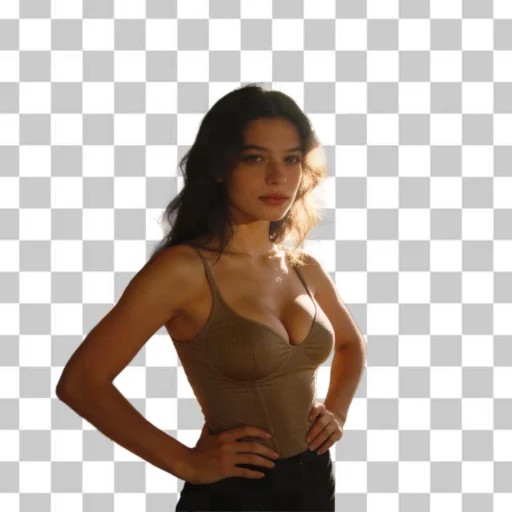
Bulk background removal and replacement

Remove or replace image backgrounds in bulk.

Upload product photos, game assets, image frames, thumbnails, catalog visuals or creative files. BGWipe removes the original background from every image in the batch, then lets you export transparent PNGs or replace the background with white, black, green screen, a custom color or your own image.

Transparent or replaced export cutouts or add a new background before download
For every visual products, assets, frames, thumbnails, ads and catalogs
Bulk processing process many files with one saved job system
Original image before bulk background removal Image after background removal and transparent output BEFORE AFTER
Built for real batch workflows.
Upload from your phone or computer, choose the output background once, then download every processed image when the batch is ready.

Upload your images

Try BGWipe for free. Remove or replace backgrounds from images in bulk with no watermark during launch.

Free images left: 5/5

Background output

Choose transparent cutouts, solid colors, green screen, masks or one custom image for the whole batch.

Photo tip for better background removal: For best quality, use images where the subject, object, character or frame is clearly separated from the background. Avoid busy backgrounds, heavy shadows and similar colors between the subject and the background.
0 image selected
Processing images… 0%

Your background removal and replacement jobs

Each upload creates one batch result. Use refresh if you started processing from another device.

No result yet. Upload images to create your first background removal or replacement batch.

Made for fast bulk background work

BGWipe helps sellers, creators, game teams, agencies and catalog teams remove or replace backgrounds from many images without opening a manual editor for every file.

One batch, one output style

Choose transparent, white, black, green, custom color, mask or custom image before upload. BGWipe applies that same background output to every successful file in the batch.

Files for any workflow

Use the results in ecommerce listings, Shopify, PrestaShop, WooCommerce, ad creatives, design tools, game asset pipelines, animation frames, thumbnails and internal catalogs.

Save hours of manual editing

Upload a folder, let BGWipe process everything in the background, then download one file or a ZIP when the job is ready.

Use BGWipe beyond product photos

The same bulk background remover works for commercial images, creative production and asset preparation.

Game assets and sprites

Clean character renders, object sprites, UI items and asset sheets. Export transparent PNGs or green-screen versions for downstream tools.

Image frames and sequences

Process many frames with the same background setting so cutouts stay consistent across animations, video thumbnails or generated image sequences.

Brand and campaign visuals

Replace the original background with a branded color, a clean marketplace white, a dark presentation background or a custom image backdrop.

Simple pricing for bulk background removal and replacement

Choose a plan based on how many product photos, assets, frames or creative images you need to process each month.

Starter

$2.7/mo

50 images/month — $0.054 per image.
Unused credits roll over, up to 100 images max.

  • Perfect for occasional background removal
  • Transparent PNG and background replacement outputs
  • Ideal for testing product, asset or creator workflows
Start Starter

Business

$16/mo

1600 images/month — $0.01 per image.
Unused credits roll over, up to 3200 images max.

  • Built for active sellers, creators and growing stores
  • Handle large product, catalog or asset folders more easily
  • Keep a fast and consistent background removal workflow
Start Business

Starter

$3one-time

30 images — $0.10 per image.

  • Good for quick one-time background removal
  • Process a small batch instantly
  • No subscription required
Buy Starter

Business

$20one-time

250 images — $0.08 per image.

  • Great for large one-time image updates
  • Process many files at once
  • No recurring commitment
Buy Business

Business+

$100one-time

1428 images — $0.07 per image.

  • For very large image batches
  • Best one-time value
  • Ideal for agencies, asset libraries and catalog cleanup
Buy Business+

FAQ — Bulk background removal and replacement

What does BGWipe do?

BGWipe removes backgrounds from uploaded images in bulk. Each successful result can be exported as a transparent PNG or with the selected replacement background, then downloaded individually or as a ZIP.

Does BGWipe use AI?

Yes. BGWipe uses AI-assisted processing for a single background removal step. After the cutout step, BGWipe can apply the output background you selected before upload, such as transparent, white, black, green, custom color, mask or custom image.

Can I replace the background with another image?

Yes. Choose Custom image in Background output, upload the background image you want, then upload your batch. BGWipe places that image behind every successfully processed result.

Is BGWipe useful for game assets, sprites or image frames?

Yes. BGWipe can process asset renders, sprites, UI items, generated frames, thumbnails and other creative files in bulk, not only ecommerce product photos.

Can I use the images for Shopify, PrestaShop or WooCommerce?

Yes. Transparent PNG files and replaced-background outputs can be reused in Shopify, PrestaShop, WooCommerce, custom stores, marketplace listings, ads and design tools.

Are the results marketplace-ready?

BGWipe can return transparent PNGs or apply a selected background such as white. If a marketplace requires a square canvas, exact dimensions or category-specific rules, add those formatting steps in your own workflow before publishing.

Why not just use Photoshop or another editor?

Traditional photo editors are powerful, but they are slow for repetitive background removal. BGWipe is built for users who need to process many images quickly without editing every file by hand.

Can I process multiple images at once?

Yes. You can upload images in batches and let the job system process them automatically. This is useful when preparing a new collection, updating a catalog, cleaning up many product photos, preparing game assets or processing image frames.

What image formats are supported?

You can upload JPG, PNG and WEBP images. Processed files are exported as PNG results, either transparent or with the selected replacement background.

Will the processed images have a watermark?

No. During launch, processed images are exported without watermark, so you can evaluate the real output on your own files.

Can I upload from my phone and download on my computer?

Yes. BGWipe works directly in your browser. You can upload images from your phone, process them online and download the final files later on your computer.

What is the difference between one-time packs and subscriptions?

One-time packs are useful for occasional batches. Subscriptions are better for regular use because they offer a lower price per image and unused credits roll over up to the plan limit.

Is BGWipe only for marketplace sellers?

No. It is useful for marketplace sellers, Shopify stores, PrestaShop shops, WooCommerce websites, game developers, creators, agencies, small brands, catalog managers and anyone who needs transparent cutouts or background replacement.

Is my data secure?

Your images are processed securely and are not publicly shared. BGWipe focuses on providing a fast, simple and reliable workflow for bulk background removal and replacement.